
1. If you're not already there, head to go.per4mance.io or log into the Per4mance iPhone or Android app.
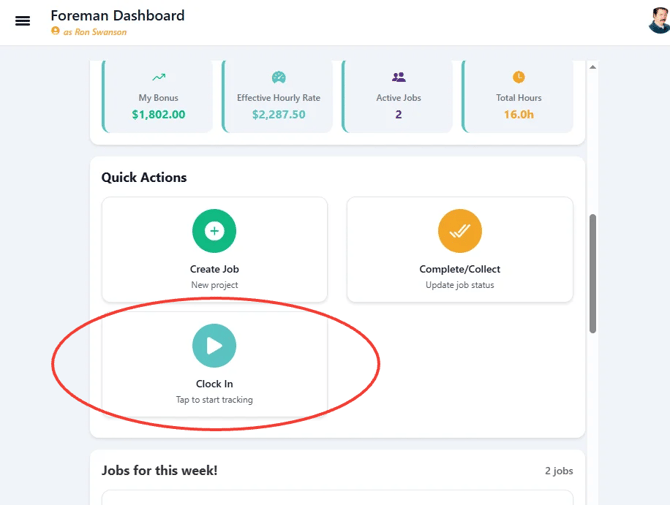
2. Scroll down to "Quick Actions and click on "Clock In" found in your dashboard.
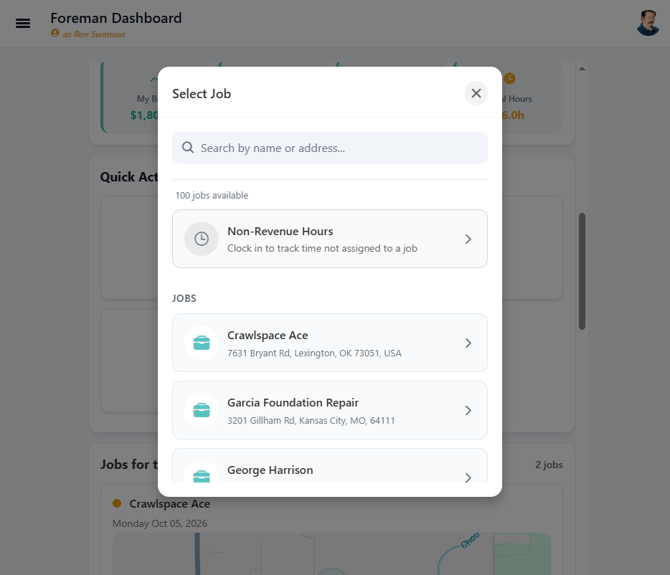
3. Select "Non-Revenue Hours".
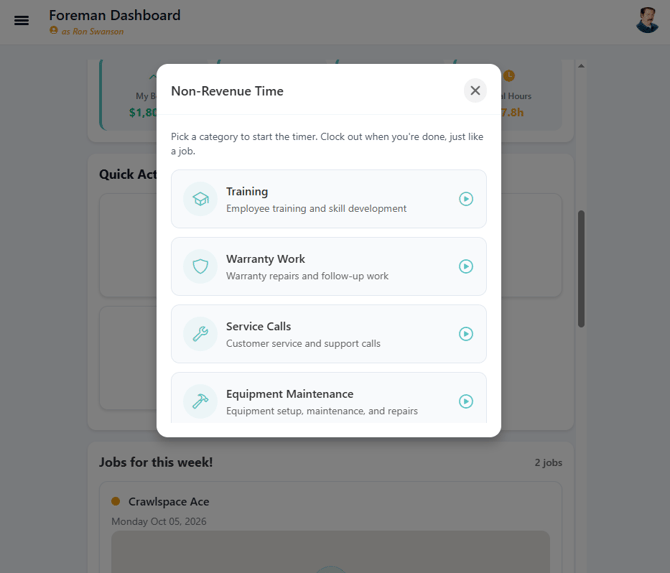
4. From the options that appear, select the type that best describes the work that was completed.
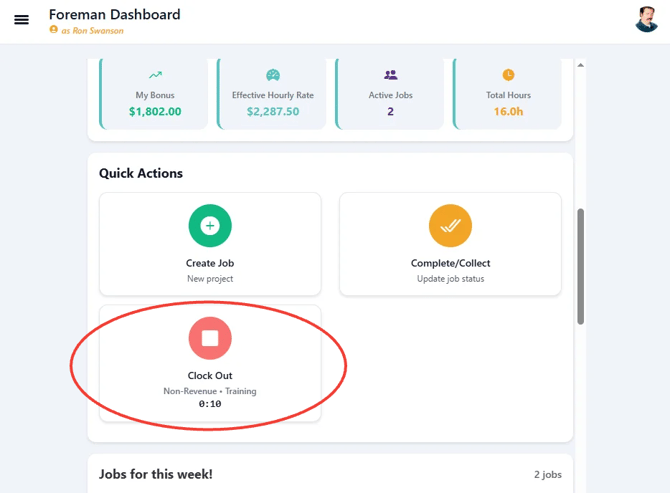
5. When you need you're finished click the "Clock Out" button.
6. Click the "Confirm" button to finish.
.png?width=670&height=530&name=clockout.PNG-mh%20(1).png)
Issues?
-
Not understanding how to manually Clock in and out? Something may be wrong. Submit a ticket here or book support meeting.
- Is this article out of date? Submit a ticket to tell us.