
1. If you're not already there, head to go.per4mance.io or log into the Per4mance iPhone or Android app.
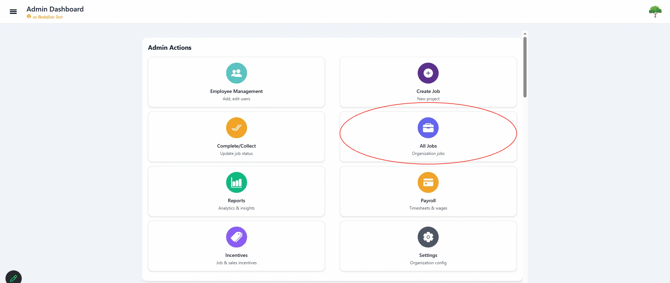
2. Click on "Create Job" found on the top right of your dashboard. This can also be accessed via "Jobs" in the three horizontal lines on the top left of the screen.
3. Fill out Job Title, Job Description (optional) and Job Address.
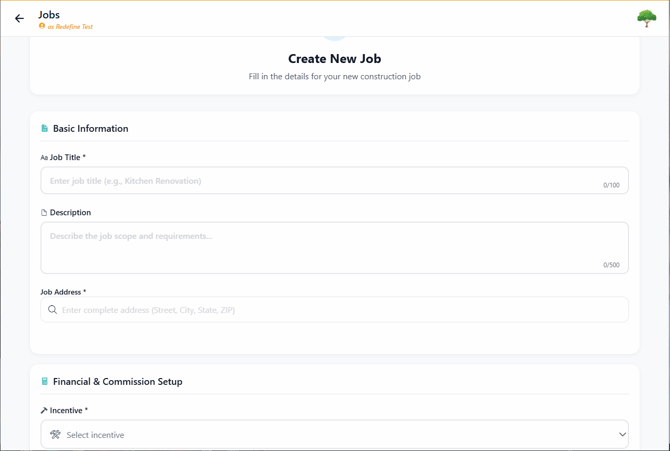
Job addresses are required because the system sets up a Geo-Fence around each job site. That Geo-Fence helps auto-clock features work correctly. If the job does not have a formal address, such as in new construction, choose a nearby address instead.
4. Click the Incentive dropdown and select one of the Job Incentives you already created. If you have not created one yet, click "Create new Incentive" to add it first. Then enter the Job Amount and add any additional Budgets below.
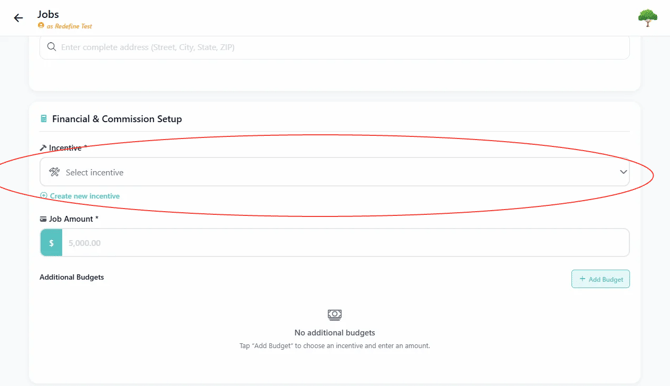
Before creating a Job, an Incentive must exist.
5. Use the dropdowns to assign the Foreman and, if needed, the Sales Person for the job. Enter the Start Date. The system will fill in the End Date automatically when the job is completed.
Assigning a Sales Person is optional, but it can improve reporting and give you clearer visibility into job performance. It can also help you track which Sales People are driving strong results for their crews and contributing to overall revenue.
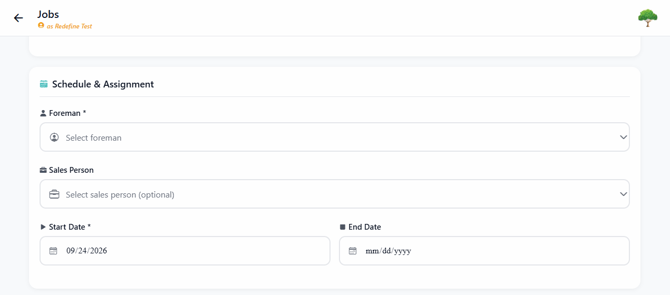
At least one Foreman needs to be created in "Employee Management" before creating a Job.
6. After adding a Foreman, a new section will populate above that will allow you to divvy up the Job Bonus among the crew.
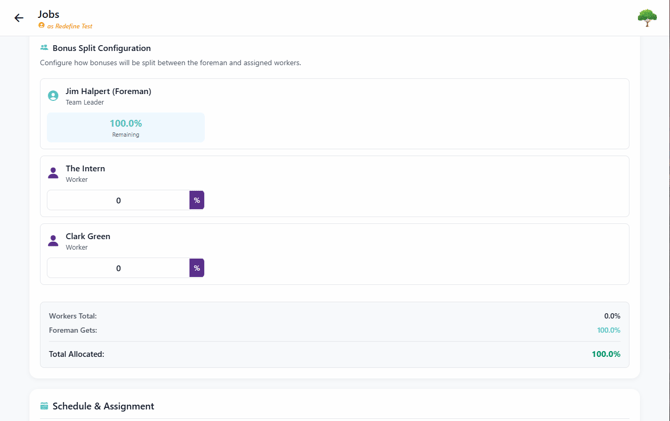
Here are our recommendations on how to divide Bonus:
1: Reward responsibility with more bonus. Naturally that creates a growth plan in your company for your production crew.
2: Everybody gets something! Make sure everybody gets a share of the bonus. When someone is left out, their incentive drops back to the base rate, which can slow the whole crew down at the exact moment you need everyone pulling in the same direction.
7. Hit "Create Job" on the bottom of the screen to finish.
Issues?
-
Still not able to create a Job? Something may be wrong. Submit a ticket here or book support meeting.
- Is this article out of date? Submit a ticket to tell us.