
1. If you're not already there, head to go.per4mance.io or log into the Per4mance iPhone or Android app.
2. Click on "Incentives" found on the top left of your dashboard. This can also be accessed via "Incentives" in the three horizontal lines on the top left of the screen.
.png?width=670&height=540&name=dash.PNG-mh%20(1).png)
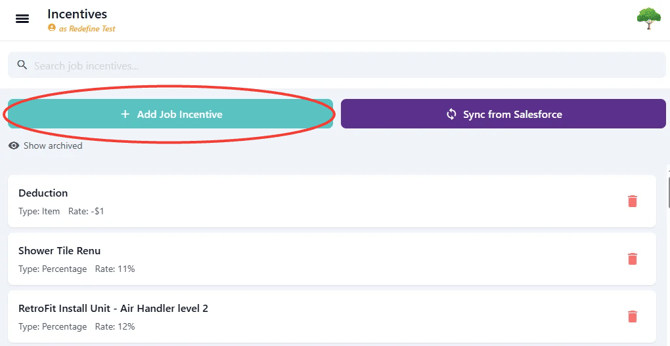
3. Click the "Add Job Incentive" button.
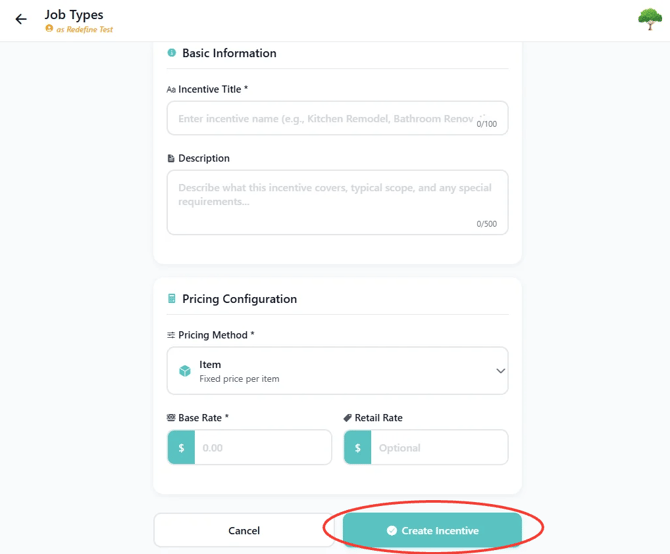
4. Fill out form with Incentive Title, Description (Optional), Choose from Pricing Method drop down, Base Rate (Added to Labor Budget) and Retail Rate (Added to Total Revenue of the Job).
Issues?
-
Still having a hard time creating an Incentive? Something may be wrong. Submit a ticket here or book support meeting.
- Is this article out of date? Submit a ticket to tell us.
Related Articles
- How do I remove hours from an existing Job?
- How do I add a worker to a Job?
- How do I replace the Foreman assigned to a Job?