
1. If you're not already there, head to go.per4mance.io or log into the Per4mance iPhone or Android app.
2. Click on "Incentives" found on the top left of your dashboard. This can also be accessed via "Incentives" in the three horizontal lines on the top left of the screen.
.png?width=670&height=540&name=dash.PNG-mh%20(1).png)
3. Click the "Add Job Incentive" button.
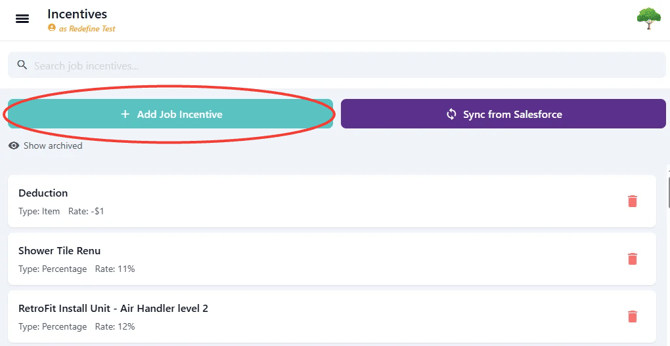
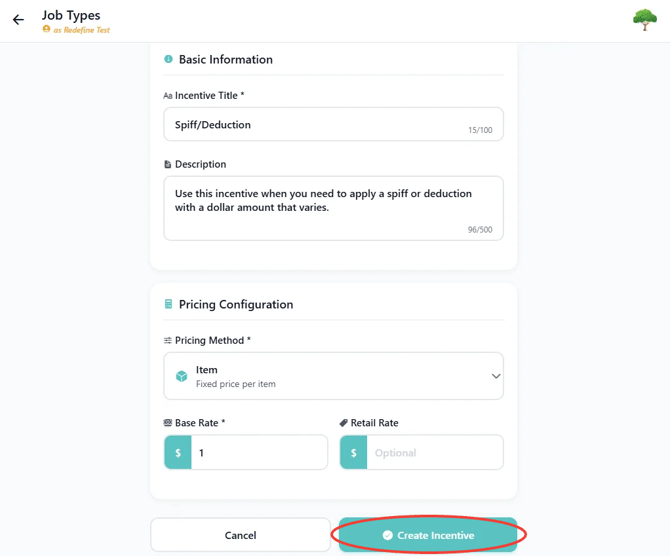
4. We use Incentives to manage Spiffs and Deductions that need to get added to the Job.
Spiff: Extra budget added to reward high-quality work, great customer service, or efficiency milestones.
Example: Jim the Foreman has embodied the Core Values of the company and we've decided to award him and his crew with $200.
Deductions: Reductions subtracted from the labor budget to account for job-site accidents, re-work, or lost materials.
Example: -$150 deduction when a crew has to return to a site to fix work that failed initial inspection
If using the Item Incentive Type, Base Rate can be set to $1 leaving it as a variable.
If using the Percentage Incentive Type, Base Rate can be set to 100% also leaving it as a variable.
When adding the incentive to the job in question, you add the specific amount you wish to Spiff/Deduct.
5. Go back to Dashboard. Click on "All Jobs" found on the top right of your dashboard. This can also be accessed via "Jobs" in the three horizontal lines on the top left of the screen.
.png?width=670&height=540&name=dash.PNG-mh%20(2).png)
6. Select the Job you wish to make a Budget Adjustment to.
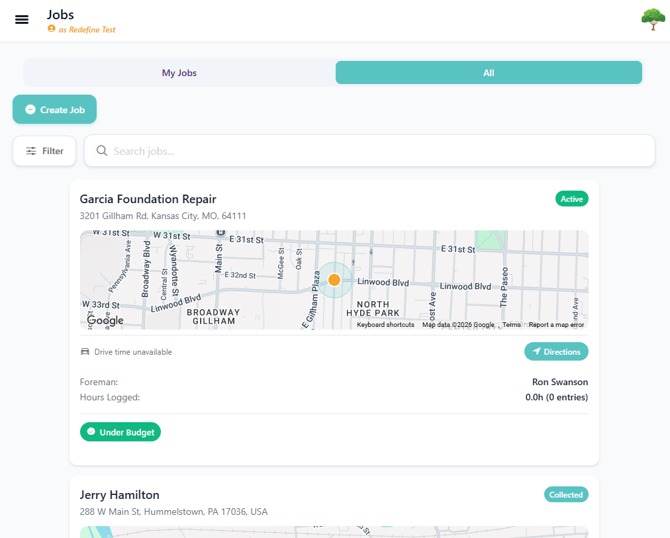
You can easily find the job by searching for the Job Title, using a Filter on the top left of the screen or scroll until finding it.
7. Click the "Add Budget" button.
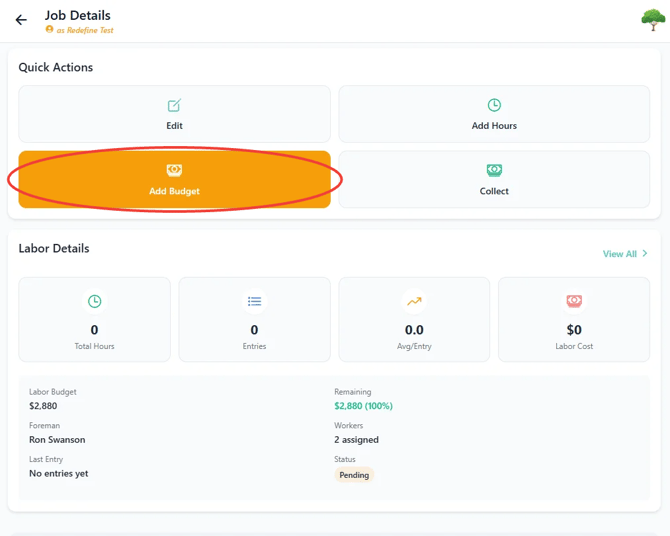
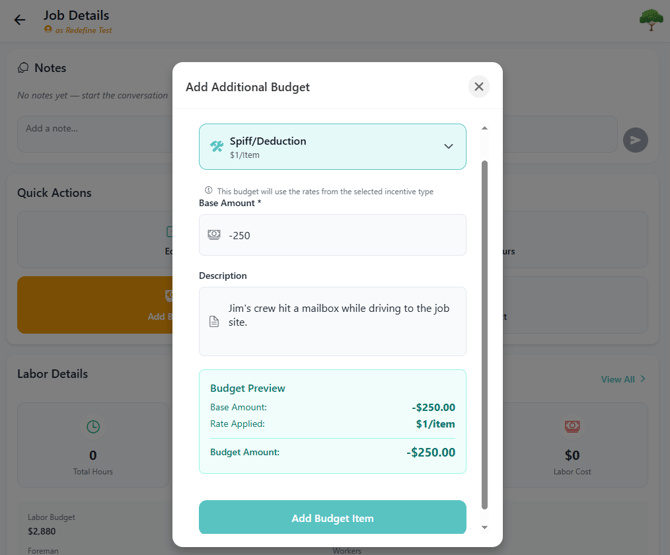
8. Select the Budget Adjustment Incentive previously created. If left as a variable option, enter the amount you'd like to Spiff/Deduct.
If the Adjustment is a Deduction always include a "-" before the dollar amount like the example in the picture below.
Issues?
-
Still having a hard time creating a Budget Adjustment? Something may be wrong. Submit a ticket here or book support meeting.
- Is this article out of date? Submit a ticket to tell us.
Related Articles
- How do I remove hours from an existing Job?
- How do I add a worker to a Job?
- How do I replace the Foreman assigned to a Job?