
1. If you're not already there, head to v2.per4mance.io or log into the Per4mance iPhone or Android app.
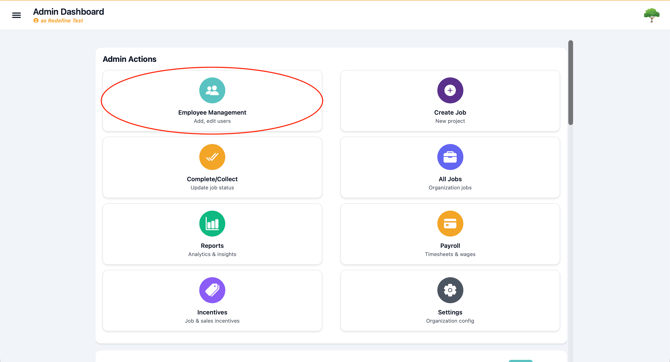
2. Click on "Employee Management" found on the top left of your dashboard. This can also be accessed via the "hamburger" or three horizontal lines on the top left of the screen.
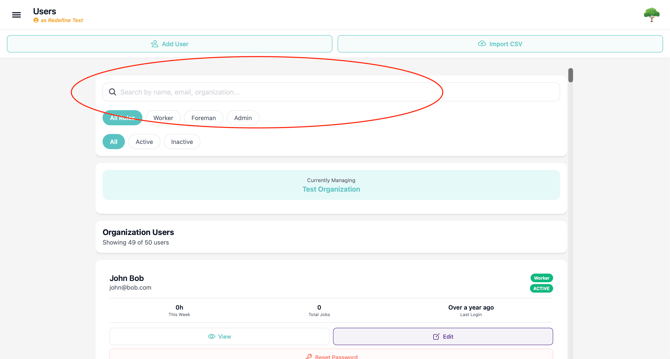
3. Find the employee you want to edit using the search and filter.
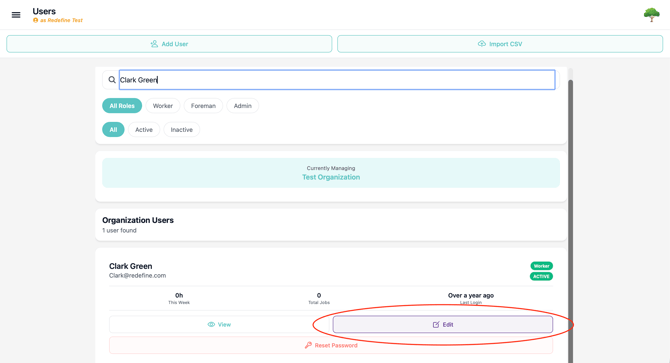
4. Click the "Edit" button to open the employees information to make changes.
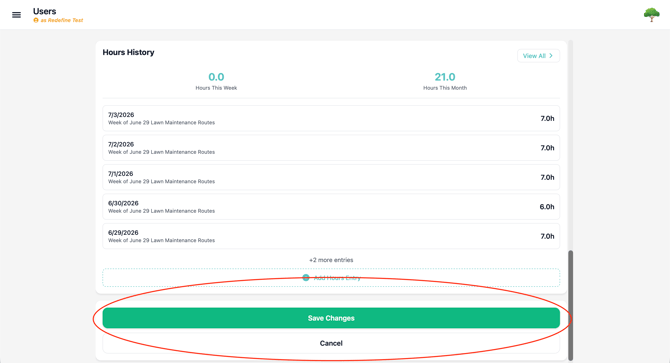
5. Make whatever changes you need to make and click "Save"
Tip: Changes to wage rate do not apply retroactively. So be sure to update their pay as soon as it's changed.
If email is updated, their password will stay the same.
Issues?
-
Still not able to edit employee information? Something may be wrong. Submit a ticket here or book support meeting.
- Is this article out of date? Submit a ticket to tell us.