
1. If you're not already there, head to go.per4mance.io or log into the Per4mance iPhone or Android app.
2. Click on "Payroll" found on the top right of your dashboard. This can also be accessed via "Payroll" in the three horizontal lines on the top left of the screen.
.png?width=670&height=540&name=dash.PNG-mh%20(4).png)
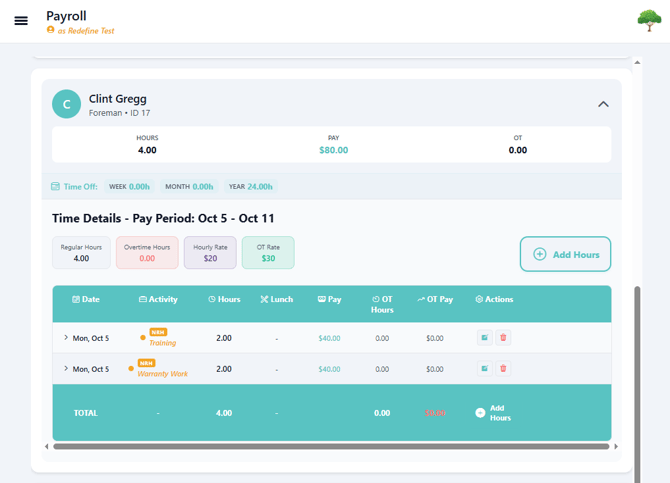
3. There are 2 ways to see Non-Revenue Hours or Time-Off Categories through the Payroll Screen.
Option 1
-Download payroll export by clicking "Summary".
.png?width=670&height=518&name=entries.PNG-mh%20(1).png)
The cleanest way to read the Summary is by importing it into a spreadsheet.
Option 2
-Use filters to search for all NRH and Time Off entries.
.png?width=670&height=518&name=entries.PNG-mh%20(2).png)
-After selecting either "NRH" or "Time Off" scroll down to find all the users with those type of entries for that week.
Issues?
-
Not finding Non-Revenue Hours and Time Off Categories in Payroll? Something may be wrong. Submit a ticket here or book support meeting.
- Is this article out of date? Submit a ticket to tell us.