
1. If you're not already there, head to v2.per4mance.io or log into the Per4mance iPhone or Android app.
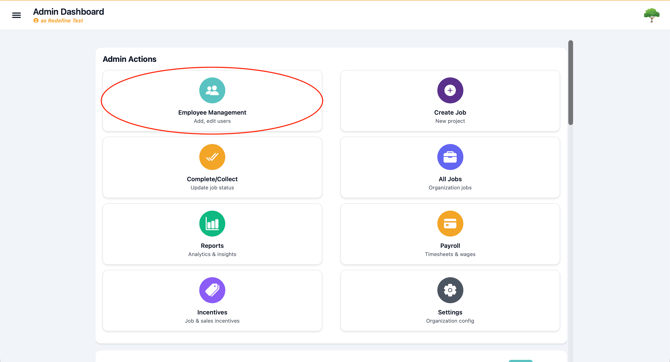
2. Click on "Employee Management" found on the top left of your dashboard. This can also be accessed via the "hamburger" or three horizontal lines on the top left of the screen.
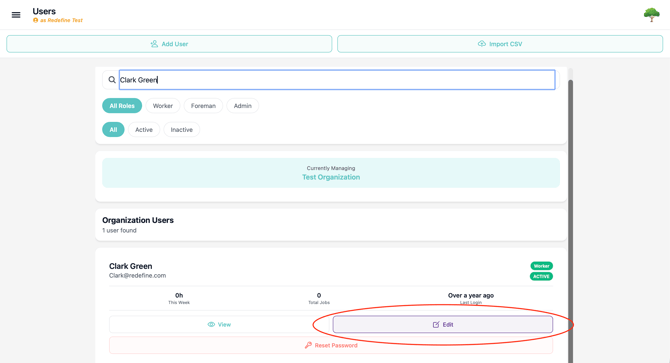
4. Click the "Edit" button to open the employees information to make changes.
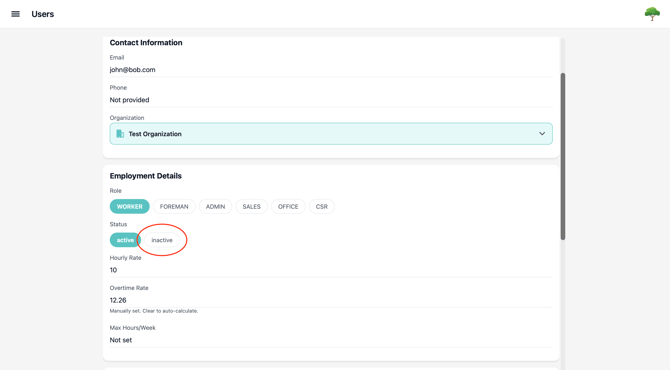
4. Change the user's status to Inactive.
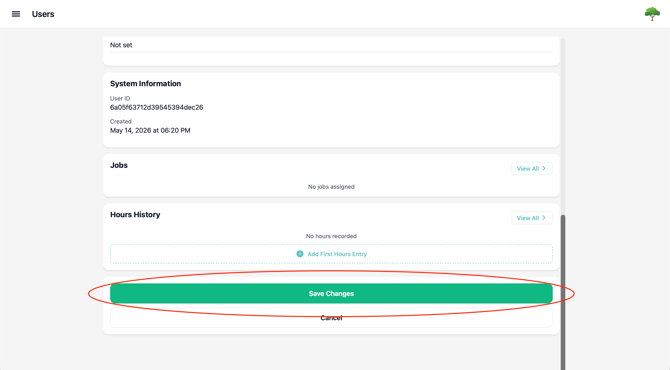
5. Save your changes to finalize the status.
Because we don't want to affect historical information, there is no way to delete a user entirely. Doing so could affect, jobs, bonuses, and much more. Inactive also means you can bring this user back into your roster easily if you rehire.
Issues?
-
Still not able to edit employee information? Something may be wrong. Submit a ticket here or book support meeting.
- Is this article out of date? Submit a ticket to tell us.