1. If you're not already there, head to go.per4mance.io or log into the Per4mance iPhone or Android app.
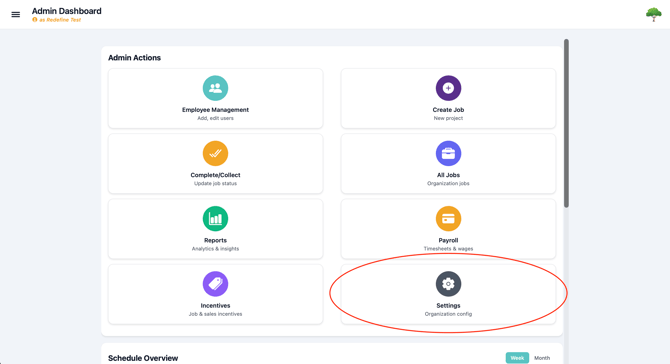
2. Click on "Settings" found on the bottom right of your dashboard's Admin Actions. This can also be accessed via "Settings" in the three horizontal lines on the top left of the screen.
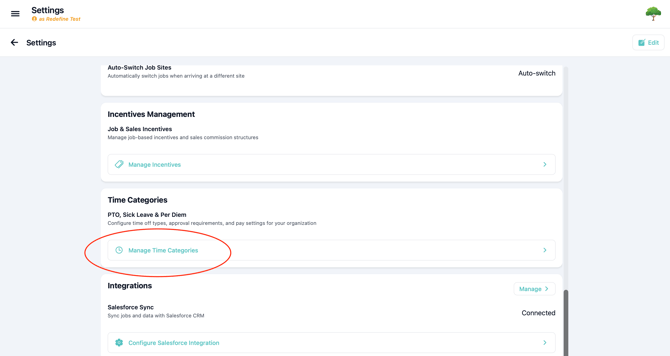
3. Scroll down until you see "Time Categories". Click "Manage Time Categories".
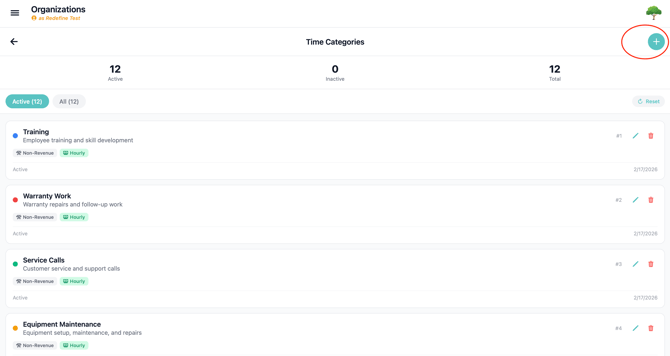
3. Here you can see a list of all your current categories, but if the list is blank or you want to create another press the "+" button on the top right.
4. Understanding the form:
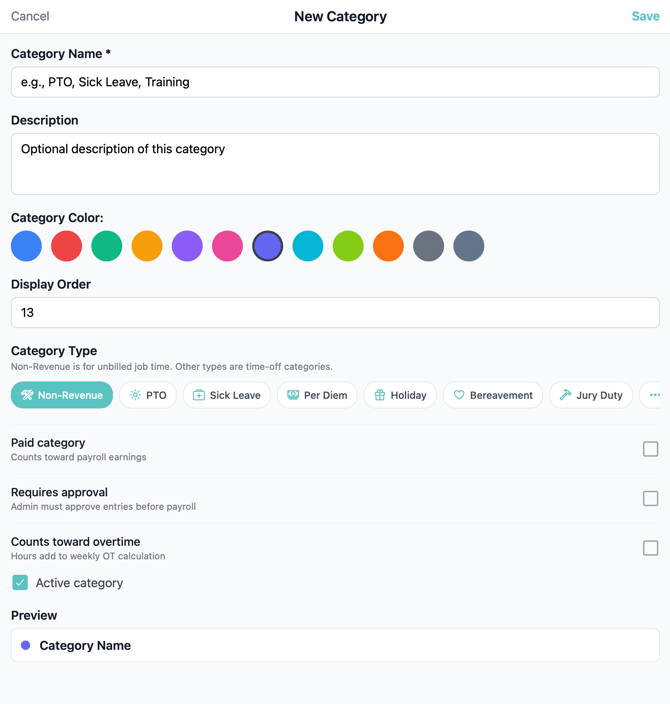
- Give your Time Category a title your team would understand
- Add a description of how the Time Category should be used
- Category Color is only for aesthetics, and does not change the function
- Display Order allows you to control how the categories are sorted, we recommend having the most used category at the top with a '1' as the order.
- Category Types
-
Non-Revenue is paid working time that is not assigned to a revenue-producing job. Common examples may include meetings, training, equipment maintenance, or shop work.
Non-Revenue hours are paid separately from job bonuses and do not count toward a job’s labor budget. Because of this, companies should monitor their use carefully.
- The remaining categories are primarily used to track paid time off or other payroll benefits:
- PTO: General paid time off, such as vacation or personal days.
- Sick Leave: Paid time away due to illness or medical needs.
- Holiday: Paid time for company-recognized holidays.
- Bereavement: Paid leave following the loss of a family member or loved one.
- Jury Duty: Paid time for required jury service.
- Per Diem: A daily allowance for expenses. This is not time off, but it is grouped here for payroll tracking.
- Custom: A company-defined category for payroll needs not covered above.
Entries assigned to time-off and benefit categories appear in a separate section of the Payroll CSV. This allows your payroll team to distinguish them from regular job hours and process them according to company policy.
-
Time categories tell Per4mance how to organize an entry for payroll calculations and exports. Per4mance is not an HR system, so it does not manage leave balances, approve benefits, or determine employee eligibility. Your company’s policies control when each category should be used.
Because Non-Revenue Hours are paid in addition to bonuses, it’s important to monitor them closely and prevent unnecessary overtime at the end of the week. When possible, schedule routine maintenance earlier in the week to help keep those hours under control.
Issues?
-
Not understanding what we're talking about? Something may be wrong. Submit a ticket here or book support meeting.
- Is this article out of date? Submit a ticket to tell us.